OpSo · by OpSolid
Card, contacts, follow-up. You won’t forget who you met
OpSo is the digital business card with a contact list. You share your card by QR code, NFC or link, note where you met, and follow up in time.
iPhone: in the App Store (EU/EEA, Switzerland, UK)·Free today, no ads·Recipients need no app·As of 7 Nov 2026
01Audience
Who OpSo is for
For people who live on conversations in person and want to follow them up calmly afterwards. If you mostly meet people online, a business network suits you better.
- S.1
Trade fair visitors
Many conversations in one day, and later you still know who wanted what.
- S.2
Small exhibitors
Share your card, keep the contact, follow up after the fair.
- S.3
Freelancers and consultants
One card you can show anywhere, and a list that grows with you.
- S.4
Tradespeople and local businesses
A link and a QR code instead of stacks of paper cards.
- S.5
Community and event organisers
If you organise a lot, you meet a lot, and need one place for all contacts.
02How it works
Meet. Remember. Follow up
- 01
Share your card
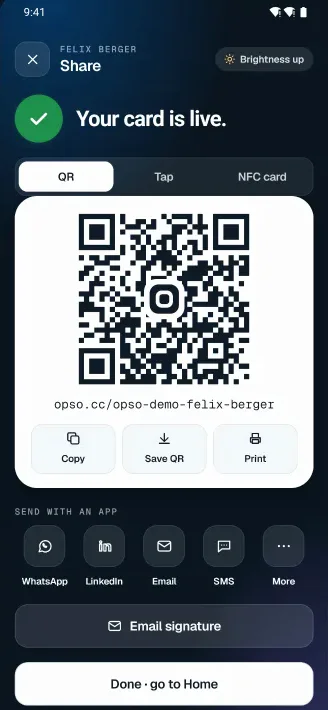
Show a QR code, tap phones together (Android), use an NFC tag or send the link. Your card opens in the other person’s browser.
- 02
Note who you met and where
Every contact keeps the place you met, notes and a lead status. Scan a paper business card and it lands in the same list.
- 03
Follow up in time
Set a reminder and send a ready-made follow-up message, so a good conversation does not end at the stand.
03Screens
The app, screen by screen
These are real screens from the Android app. The people and companies shown are fictional demo data.
Demo data
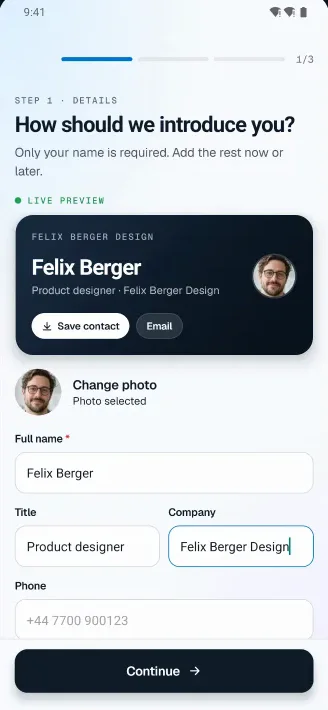
Fig. 3.1Create your card Fig. 3.2Share by QR code, tap or NFC 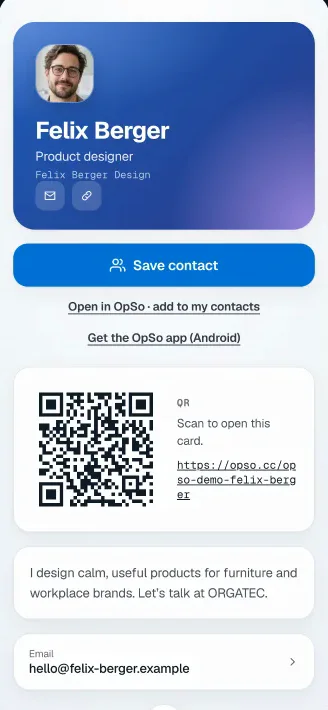
Fig. 3.3Your card at the recipient’s end 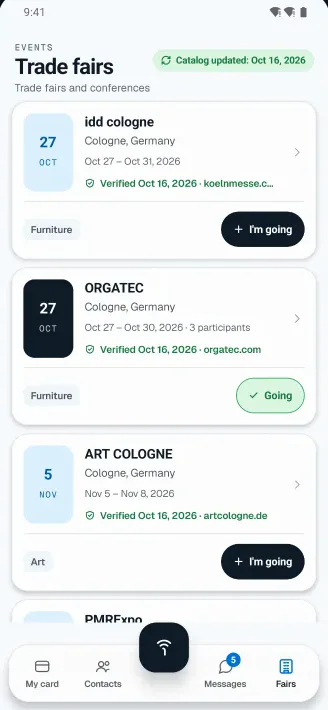
Fig. 3.4Trade fair calendar 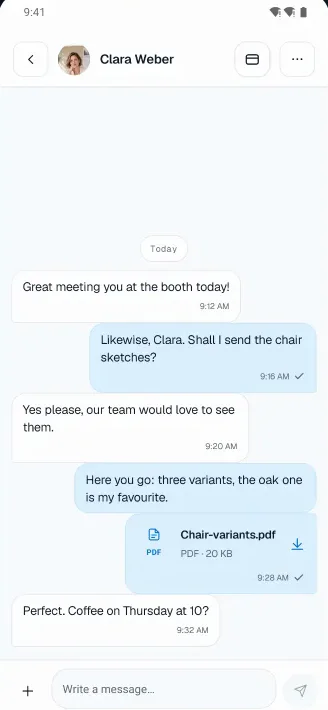
Fig. 3.5Chat with a connected contact 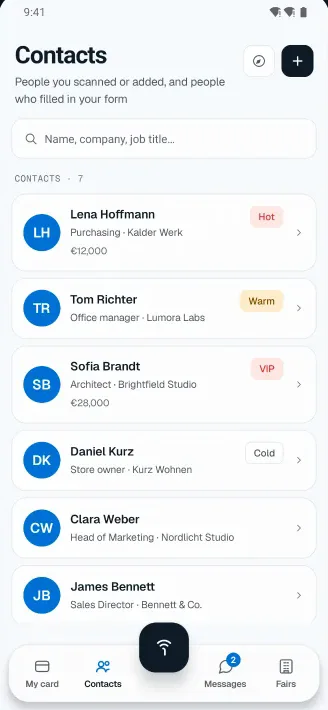
Fig. 3.6Contacts with lead status 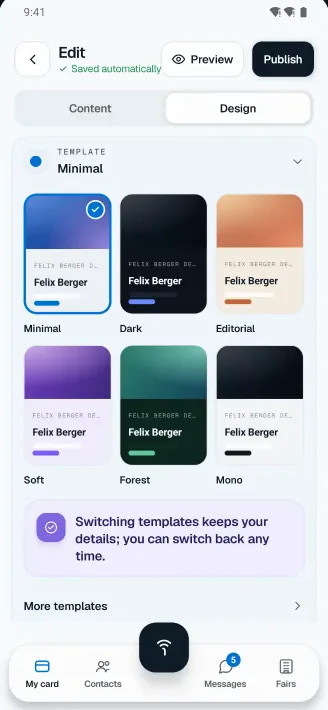
Fig. 3.7Card editor with live preview 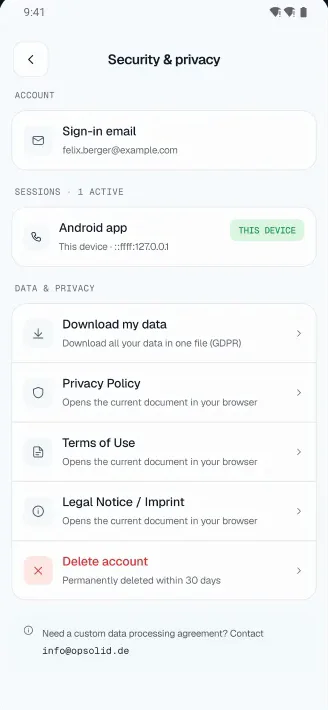
Fig. 3.8Privacy settings
04Features
What OpSo already does today
Only features that exist in the app now. Nothing here is a promise for later.
Sharing
Web card, no app needed
Your card lives at opso.cc/yourname and opens in any browser.
Sharing
QR, NFC tag and tap
Share with a QR code, a compatible NFC tag or, on Android, by tapping phones together.
Capture
Business card scan
Photograph a paper card and add the person to your contacts.
Contacts
“Where we met”
Notes, lead status (hot, warm, VIP) and the place you met, in one searchable list.
Follow-up
Follow-up reminders
A reminder per contact and a ready follow-up message to adapt and send.
Fairs
Trade fair calendar
A curated list of fairs. Tap “I’m going” and new contacts are filed under the fair.
Messages
1:1 messages
Chat with people you are connected to, with text, photos and files.
Export
Save to your phone
Save a contact straight into your phone’s address book, or export your contacts as CSV or vCard.
05Example cards
Your web card, in your own style
A published card opens in the recipient’s browser. NFC requires a compatible phone and tag.
Examples · AI-generated portraits
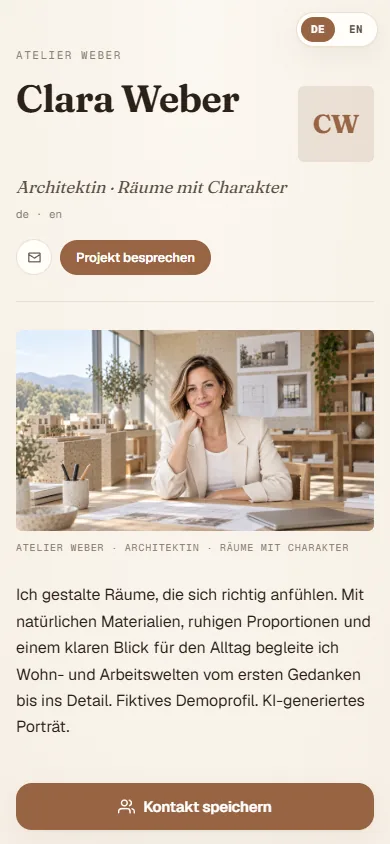
Fig. 5.1Clara Weber, architect · Light stone 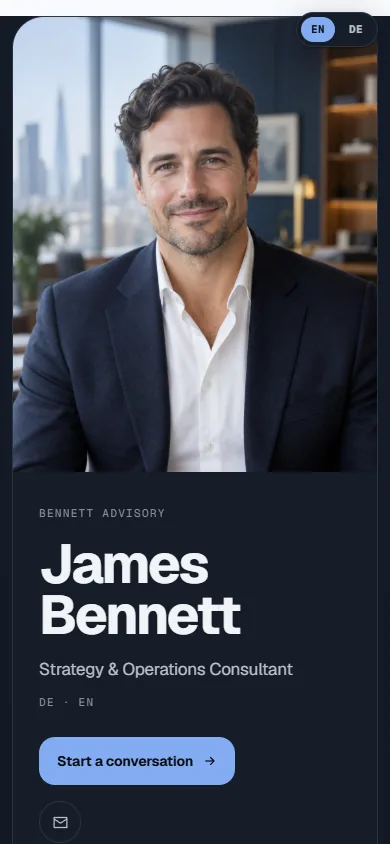
Fig. 5.2James Bennett, business consultant · Corporate navy 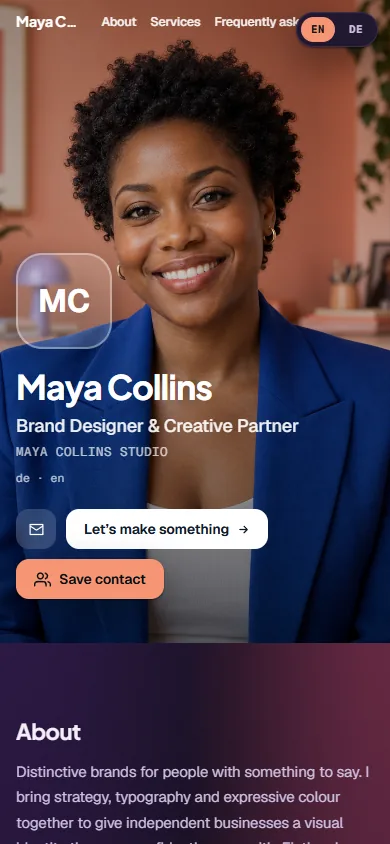
Fig. 5.3Maya Collins, brand designer · Coral & violet 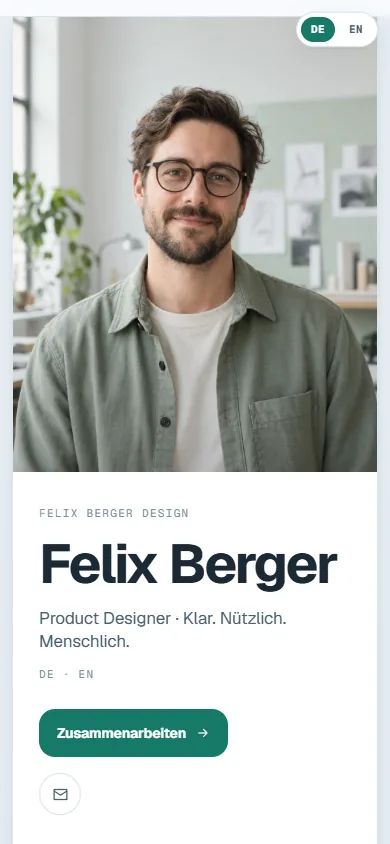
Fig. 5.4Felix Berger, product designer · Fresh mint
06NFC card
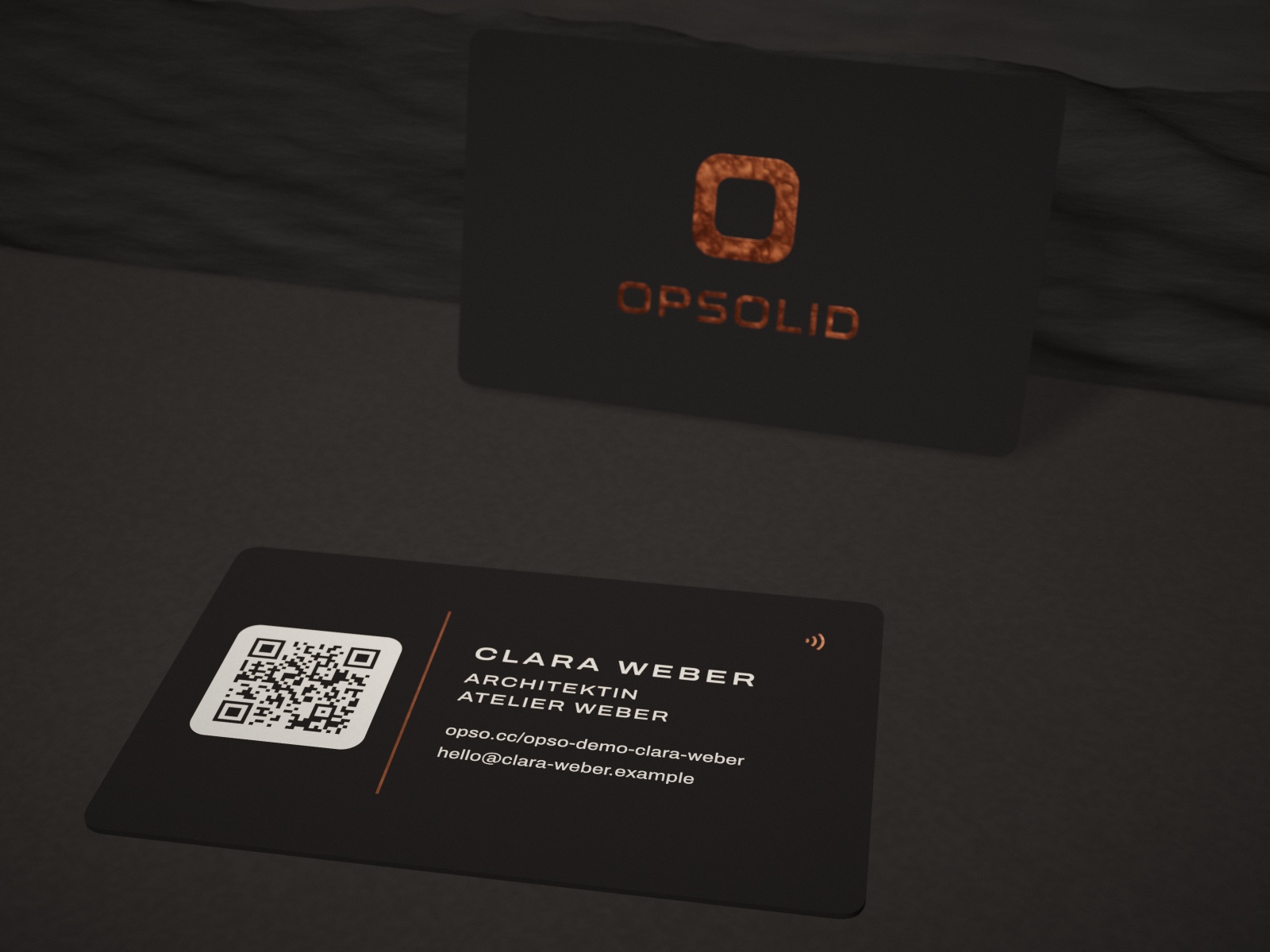
The physical NFC card: a concept
A card that opens your OpSo profile with a tap.
Physical NFC card
The planned matte-black card opens your OpSo profile with a tap. A printed QR code is intended as a fallback.
- Matte-black, standard-size card
- Separate one-time purchase, not a subscription
Planned launch price€24.90 including VAT, shipping charged separately
StatusConcept. Price, print finish and availability will be confirmed after the production trial.
07Cost and data
Free today, no ads
There is no checkout, no payment details and no advertising.
01Free
Nothing is charged. If that ever changes, it will be announced on this page before any charge.
02You decide what is public
Only what you release appears on your card.
03Export any time
Export your contacts as CSV or vCard, and your data from the app.
04Delete your account any time
You can do it in the app. Details are in the privacy policy.
08Availability
Where to get OpSo
On iPhone, OpSo is in the App Store in the EU/EEA, Switzerland and the UK. On Android, it is in a closed test on Google Play.
- iPhone
- Free in the App Store, available in the EU/EEA, Switzerland and the UK.
- Android
- Closed test on Google Play, open to invited testers only; there is no public store link yet. Write to us and we will add you.
- In the browser
- Any published card opens in a browser, no app needed.
- Own domain
- Not yet. Cards are published at opso.cc.
As of 7 Nov 2026.
09By OpSolid
OpSo is a product of OpSolid
We develop and run OpSo ourselves, from the first sketch to operation.
We bring the same way of working to our AI consulting for companies: first clarify what is needed, then build what runs in daily work.
Frequently asked questions
Before you get started
No. Your published card opens in a browser. QR codes and compatible NFC tags point to its public link.
OpSo
Try OpSo
On iPhone, get OpSo from the App Store (EU/EEA, Switzerland, UK). On Android, write to us and we will add you to the test.